Waiting for an inspector to sign off a work order is money leaking from your hangar. This common delay keeps aircraft on the ground. It hurts your flight schedule and your bottom line. Moving to a digital platform gives your team a real-time view of every task.
Request a personalized quote today to see how SOMA's aeronautical engineers can modernize your hangar-floor operations with a mobile-first approach built for MRO teams.
An aircraft maintenance technician app is a mobile tool that lets mechanics and inspectors manage work orders. Log hours, scan parts, and document repairs directly from the hangar floor. It replaces paper-based workflows with real-time digital data entry on tablets or phones.
For years, aviation maintenance teams relied on paper logbooks and desktop computers. Mechanics walked between the hangar and the office to update records. They hunted through binders for the right manual. A modern technician app puts those tools in the palm of your hand. Your team can view work orders, reference aircraft history, and scan barcode-labeled parts without leaving the aircraft. This shift reduces data entry errors. It gives managers a live view of every job in progress.
General aviation tools like Crewchief help private owners track basic safety checks. Commercial operators and MRO facilities need more power. Enterprise platforms like the SOMA Production App connect inventory, staffing, work orders, and flight data into a single mobile interface. The scope of the tool should match the scale of your operation. The core benefit is the same: less walking, less paper, and faster turnarounds.
The distinction between basic log apps and full MRO platforms matters during evaluation. Basic apps handle task checklists and simple time tracking. Enterprise platforms link work orders to inventory, purchasing, and maintenance history. This integration is essential for medium-sized and large operators. SOMA Software uses a modular design. Teams can adopt mobile tools without replacing their entire infrastructure at once. Implementation typically takes four to eight weeks. SOMA's aeronautical engineers guide the configuration to match existing workflows.
Mid-sized operators in Latin America and the Caribbean face unique challenges. Many operate across multiple bases with limited IT support at each location. An aircraft maintenance technician app must deploy easily. It must support Spanish-language interfaces. It must work reliably across varying connectivity conditions. SOMA's regional expertise and bilingual support team address these requirements directly.
Modern aircraft maintenance happens in fast-paced hangars where paper logs slow people down. To keep a fleet ready for flight, your team needs a specialized tool. Here are the core capabilities every technician app should deliver:
These features are not optional. Every regional airline and MRO that has transitioned to digital hangar tools reports measurable reductions in aircraft downtime. The return on investment comes from multiple angles: faster task completion, fewer documentation errors, and improved resource allocation. When selecting a platform, verify that each of these capabilities is native to the system. Workarounds like third-party plugins or manual data transfers defeat the purpose of a unified mobile tool.
Technician apps replace lost paper logs and hallway conversations with real-time digital communication. Mechanics send messages, share photos, and update task statuses from a tablet. Supervisors see the same live data on their dashboard. This shared visibility eliminates status meetings and hand-off errors.
In-app messaging lets mechanics and inspectors communicate without leaving their workstations. If a technician discovers an unexpected issue mid-inspection, they can alert the team immediately. They can order parts and update the schedule in real time. Shared task boards show every user the same live status. Managers know who is working on what. They see which jobs are paused. They know where to assign extra staff.
One-click alerts are a standout feature. When a mechanic finishes a job, they tap a button to notify an inspector. This eliminates the clipboard chase. It can save hours of downtime across a large fleet. Supervisors use the resulting data to identify bottlenecks. They reallocate resources and improve workflow over successive maintenance cycles.
Photo evidence is another major advantage. Technicians attach images to any work order. Inspectors can verify work from a distance. They can review the evidence later if questions arise. This builds trust with clients and regulators alike. Everyone sees the true state of the aircraft without walking to the hangar.
Digital maintenance apps create tamper-proof audit trails for every task, part, and inspection. Time-stamped logs with photo evidence and digital signatures satisfy FAA and EASA record-keeping requirements. They make regulatory audits a matter of minutes instead of hours.
Paper logbooks are a liability during ramp checks and audits. An inspector may request a record from three years ago. With paper, that means hours of searching through physical files. A digital app returns the record in seconds. Every task is linked to a specific worker, part, and time stamp. The system will not allow a mechanic to close a task until every required field is complete. This eliminates the missing data that triggers fines.
| Feature | Paper Logbooks | Technician App |
|---|---|---|
| Record format | Physical paper and ink | Digital cloud storage |
| Audit readiness | Hours of file pulling | Instant search and export |
| Data security | Physical risk of loss | Encrypted cloud backups |
| Work evidence | Written notes only | Photos, videos, and GPS data |
| Field errors | Common (missing entries) | Minimal (forced completion) |
| Audit trail | Manual log entries | Automated digital chain |
Real-time compliance checks keep your operation ahead of regulatory changes. Smart apps alert teams to new Airworthiness Directives as they are published. This helps you plan work before it becomes a legal issue. Man-hour tracking supports crew rest and training compliance. Regulators increasingly scrutinize these areas during audits. Having automated data at your fingertips makes the difference between a smooth audit and a disruption to your operations.
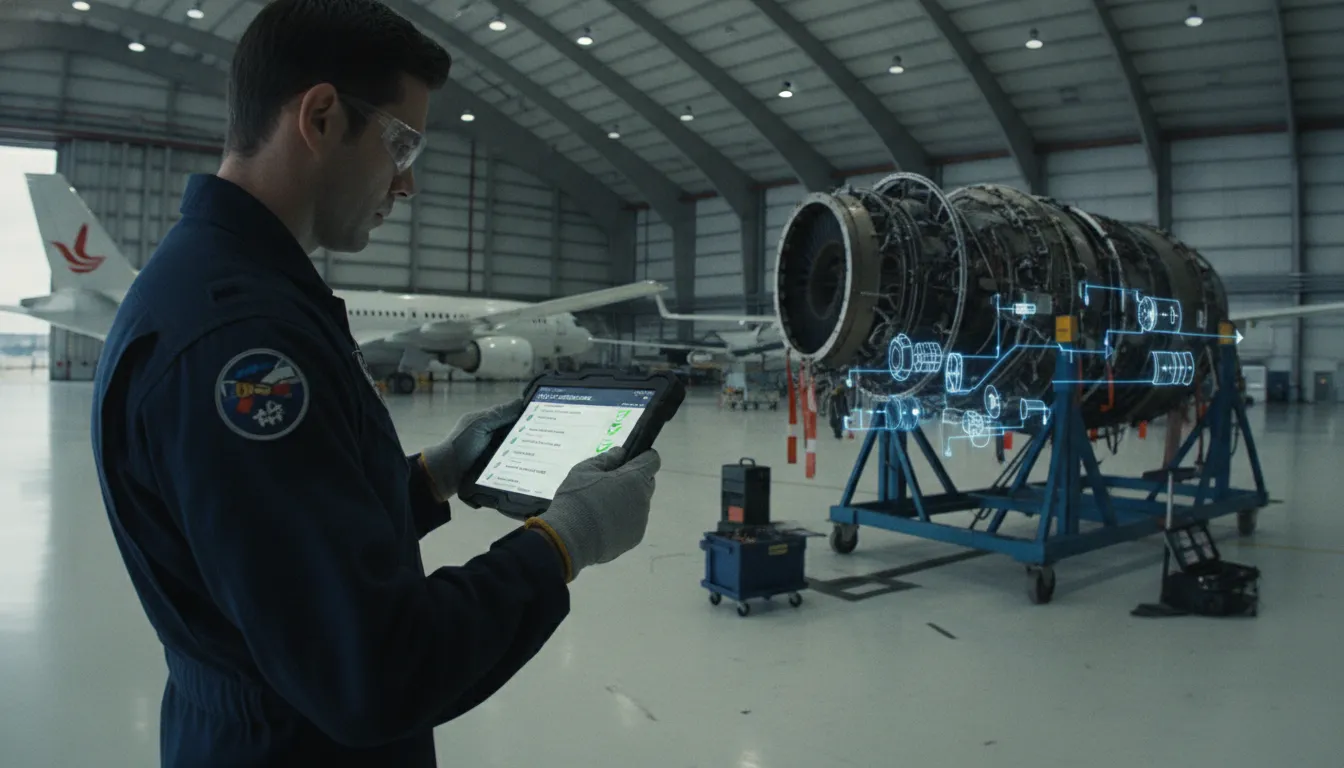
Digital records also protect against data loss. A fire, flood, or simple misfiling can destroy years of maintenance history stored on paper. Cloud-based technician apps back up every record across redundant servers. When an auditor asks for proof, you provide it from anywhere. There is no need to pull binders from storage or hope the relevant form is still legible. This peace of mind is one of the most cited benefits by MRO directors who have made the switch.
Selecting the best aircraft maintenance technician app depends on the scale and complexity of your operation. A general aviation owner may only need basic digital logs. A regional airline or MRO facility requires a full system that links every phase of the maintenance process. Here are the key evaluation criteria:
Budget is another important factor. Entry-level apps may charge per technician or per aircraft. Enterprise platforms typically offer tiered pricing based on fleet size and module selection. The right investment balances upfront costs against the operational savings from reduced downtime and faster turnarounds. Many MRO directors report that the savings from reduced paperwork and faster inspections recovered their software investment within the first year.
The Latin American aviation market is forecast to grow substantially through 2034. Regional operators who adopt mobile-first maintenance tools now will have a significant competitive advantage. A proper fleet maintenance software platform ensures your team can scale without adding administrative overhead. You can expand your fleet without expanding your paper trail.
Moving from paper to mobile does not happen overnight. A successful rollout requires planning around training, data migration, and workflow redesign. SOMA's implementation team follows a structured approach. They begin with a discovery phase to map your current processes. They configure the app to match your specific work order types, approval chains, and reporting needs. Training typically spans two to three days per base. The goal is to have technicians comfortable enough to use the app without paper backups by the end of the first week.
Data migration is the most critical phase. Historical maintenance records, inventory data, and aircraft histories must transfer accurately into the new system. SOMA's aeronautical engineers handle this process to ensure no records are lost or corrupted. Once the system is live, ongoing support includes remote troubleshooting, feature updates based on user feedback, and quarterly performance reviews against your operational KPIs. This partnership model is what distinguishes an engineering-led provider from a generic software vendor.
Contact SOMA Software today to schedule a personalized demo. See how our aeronautical engineers can tailor a mobile maintenance solution for your hangar operations.
Yes. Most modern hangar floor tools offer offline-first features. Technicians log work, scan barcodes, and attach photos inside shielded hangars or at remote ramps. The app syncs all data automatically once a stable connection is available. This prevents data loss.
A maintenance app focuses on hangar-floor tasks such as work orders and inspections. Full MRO software handles the broader business: inventory management, procurement, flight log tracking, and long-term fleet planning. Most teams use a mobile app as the technician-facing front end of their larger MRO platform.
Yes. These apps are designed to meet FAA and EASA record-keeping requirements. They create a secure digital trail for every task, part, and inspection. Time-stamped logs and digital signatures ensure audit readiness. This makes audit preparation a matter of minutes rather than hours. It also reduces the human error common with paper systems.
Yes. Modern apps scale from small repair stations to large airline operations. The SOMA Production App offers enterprise-grade features without requiring a dedicated IT team. This makes it practical for mid-sized operators transitioning from paper-based workflows.
Paper logs and disconnected desktop tools create data gaps that keep aircraft on the ground longer than necessary. A mobile-first technician app eliminates those gaps by putting real-time work orders, documentation, and communication tools in your team's hands.
SOMA Software's aeronautical engineers work as operational partners, not just software vendors. They understand the specific challenges of regional airlines and MRO facilities across Latin America and the Caribbean. Request your free consultation today and find out how a dedicated mobile solution can reduce downtime and keep your fleet flying.