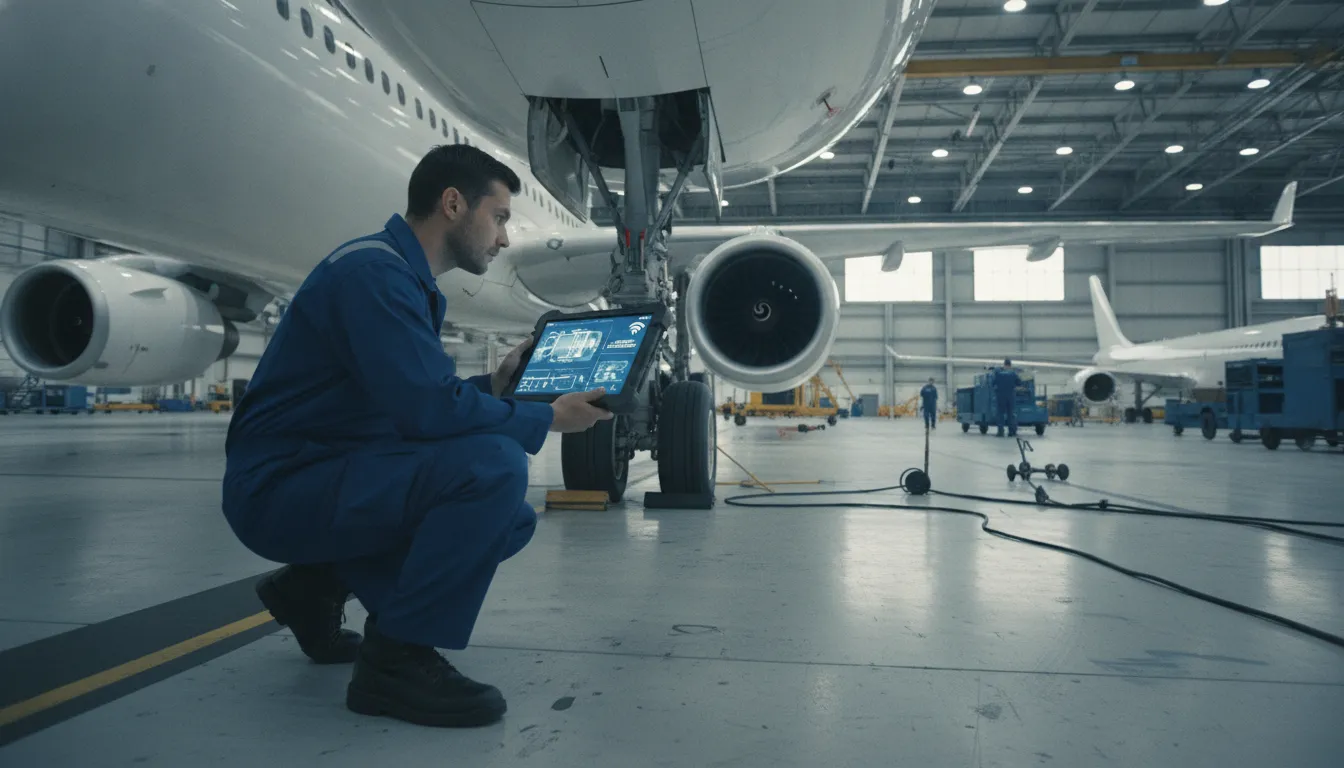
**Mobile mro software** is a digital tool that gives technicians real-time access to maintenance data and work orders from mobile devices. This technology connects the hangar floor to back office systems to eliminate manual data entry and slow paper logs during every maintenance task. According to industry research from Samsung, these mobile-enabled solutions help with planning and work output needed for keeping strict airline schedules. These digital tools allow maintenance directors and CAMO teams to track airworthiness with care while ensuring technicians have the latest instructions they need. These real-time updates help aviation companies reduce unplanned downtime and minimize business risks, keeping fleets compliant with safety standards and ensuring flight operations run smoothly.
Mobile MRO software is a digital tool that helps aviation teams manage maintenance from anywhere. In the past, technicians had to use paper logs or walk to a desktop computer to log their work. Now, mobile MRO software lets workers access data right on the hangar floor. It connects the people doing the work with the back office in real time. This keeps everyone on the same page.
For many years, aviation maintenance relied on clipboards and paper shift logs. This old way of working creates many risks. It is slow and makes it easy to lose data. Workers often have to write down notes and then type them into a system later. This double work takes too much time. It also leads to errors that can hurt safety and compliance.
Modern mobile tools change this workflow. Technicians can see work orders on tablets or phones as they stand by the aircraft. They can log tasks as they finish them. This means the back office sees progress as it happens. These tools also help with planning. Industry reports show that mobile tools help airlines keep their fleets on schedule by raising work output.
Safety is the most important part of aviation. One of the biggest risks in maintenance is when people do not follow set steps. The Federal Aviation Administration (FAA) notes that failure to follow procedures is a leading cause of safety issues. It is a common human factor that adds to many accidents in the field.
Mobile software helps solve this problem. It puts clear checklists and manuals in the hands of the technician. Instead of trying to remember a step, the worker can check the mobile app. The system can even ask for a digital sign-off for each step. This step-by-step method reduces the chance of a missed task. This helps ensure that every aircraft stays in a state of continuing airworthiness.
A mobile MRO platform does more than just track tasks. It links the hangar technicians directly to the supply chain and parts teams. When a technician finds a broken part, they can check the stock right away. They do not have to leave the aircraft to ask for help. This saves hours of time.
SOMA Software offers tools like the Production App and the ControlHUB App. You get data from the floor in real time. Our aeronautical engineers act as your operational partners to help you set up these workflows. With a linked platform, you can see your entire fleet status at a glance. This helps you make smart choices to keep costs low and safety high.
Aviation companies today face big pressure to keep fleets ready while they control costs. High costs and the price of unplanned work drive the need for better tools. Many operators now use mobile MRO software to manage these hard tasks from any place. This shift helps teams move away from slow paper systems and focus on live data capture.
Unplanned maintenance is a major cost for the aviation field. When a plane stays on the ground longer than planned, it causes delays that hit the whole flight schedule. These unexpected events cost airlines millions of dollars each year, as shown in reports from Samsung. Moving to mobile tools allows teams to act faster and get planes back in the air soon.
Aviation firms must manage a global MRO market that was worth about 61 billion dollars in 2015. With such a large market, speed is the only way to stay ahead of the rest. Mobile tools help by giving staff the data they need right at the plane. This cuts the time spent walking back and forth between the craft and a desk to check files or enter data.
Safe aircraft work depends on following strict rules every time. Most staff have the skills for the job, but human factors often lead to mistakes. The Federal Aviation Administration says that failing to follow rules is a top safety issue. Mobile software reduces this risk by putting digital task cards and lists right into the hands of the staff.
Mobile tools provide a clear way to manage hard work and ensure staff follow every step. Instead of relying on memory or big books, staff can use tablets or phones to see current needs. This live access helps them stay in line with rules and cuts the chance of errors that could lead to safety issues. It turns a hard paper trail into a clear, digital path for every task.
The best way to update maintenance is by linking mobile tools to a main system. Linking mobile MRO into core systems is a key trend in the current market, as noted by AircraftIT. This link ensures that data from the hangar floor flows straight to the back office. It helps managers see the state of every job and make better plans for the whole fleet.
Using mobile-first maintenance documentation makes it easy to track parts and work as they are used. When a person updates a task on a mobile device, the office teams see it at once. This helps airlines avoid parts shortages and manage their assets better. It creates a smooth operation where everyone from the staff to the director works from the same facts.
A strong mobile MRO platform connects hangar workers to the back office in real time. It must give teams the power to manage work orders and look up parts while they stand on the hangar floor. SOMA Software provides this link through its six integrated modules. These modules cover fleet work, aircraft maintenance, stock control, and records. By using the SOMA Production App and the ControlHUB App, teams can work faster and keep data right. Our aeronautical engineers act as your work partners to ensure these tools fit your daily needs.
The best mobile MRO software allows users to see task assignments as they happen. Push alerts tell a mechanic exactly when a new job is ready. This keeps the work moving without long walks to a back-office desk. Workers can also check for parts without leaving the aircraft. They can see stock levels and places in an instant. This speed is vital because unplanned downtime can cost airlines millions of dollars every year.
Modern mobile tools often use new tech like augmented reality. These systems let workers see real-time instructions on their devices while they work. This helps them stay focused on the task at hand. When a tech can find a part and see how to install it in one place, they make fewer mistakes. This also helps with company-wide planning and keeps flights on schedule. Using a mobile device to scan barcodes can also stop errors before they start.
Compliance is a major goal for any aviation team. A mobile platform should support digital sign-off for quick task completion. This removes the need for paper records that can get lost or hurt. SOMA's apps make it easy to capture rule data at the source. This ensures that every step of a job meets safety rules. The system logs who did the work and when they did it. This clear record keeps your team ready for any audit.
Good systems also let teams attach photos or videos as proof. If a part shows wear, a tech can take a picture and add it to the record. This creates a clear trail for auditors and managers. Using digital maintenance tracking tools helps teams avoid the safety risks that come when people fail to follow rules. It turns a manual task into a fast, digital process. This leads to better accuracy across all maintenance logs.
A web signal is not always there in large hangars or remote areas. A strong mobile tool must work offline. This means a tech can still log their work even without a Wi-Fi link. The app saves the data and syncs it as soon as the signal returns. This prevents gaps in the maintenance history. It also means that work does not stop just because the internet is down. Staying ready is key to keeping a fleet in the air.
Having a steady workflow keeps the fleet in the air. SOMA's apps help managers see what is happening across the entire fleet. The SOMA Production App handles the hands-on work, while the ControlHUB App lets managers track goals. By merging mobile access with back-office work, companies can lower risk. This total view helps teams stay safe in any environment. It ensures that every aircraft is ready for its next flight.
A smart plan is needed to handle aircraft data across a whole firm. When you use mobile MRO software, you link the staff on the floor with the staff in the office. This link makes sure every team has one clear view of the fleet at all times. By using tools for the whole group, firms can better handle safety risks that slow down work.
Mobile tools change how teams work. Instead of waiting for paper logs to reach a desk, the office gets news as it happens. This live link helps bosses plan for parts and work with no wait. Adding these tools to an ERP is a top way to meet new needs in the flight market. It builds a smooth path for data to move from the floor to the main desk.
Moving to digital files stops the loss of logs or bad handwriting. When a tech puts data into a tablet, the tool checks it for slips right away. Using mobile-first maintenance documentation makes sure every note is clear. This shift to digital logs makes it easy for the office to check that all work follows the rules.
When the floor and office stay in sync, the whole firm runs well. Data does not get stuck in one shop or on one desk. Instead, the mobile MRO software gives all people the same data. This leads to better choices and faster turns for the fleet. It helps the office give the floor teams the right parts and tools at the right time.
Moving to mobile mro software gives air firms clear gains in speed and safety. These tools help teams stop small issues from turning into big delays. Unplanned repair work costs airlines millions of dollars every year. Mobile tools can cut these costs by making repairs faster. By using real-time data, firms can lower risks and keep planes in the air. A systematic approach to safety helps reduce errors that lead to groundings. This way, the hangar team and the back office stay on the same page.
When a plane stays on the ground, the airline loses money. Mobile tools let techs find parts and read manuals right at the plane. This saves the time they once spent walking to a desk or office. SOMA's apps help teams work fast and with fewer stops. This means planes get back to flight sooner, which keeps the schedule on track. This saves on labor and shop costs. Our engineers act as your partners to ensure these tools fit your daily flow.
Instead of waiting for paper files, techs get info on their tablets. They can sign off on tasks as soon as the work is done. This cuts down the time the plane sits in the shop. Using these tools helps firms handle busy flight weeks without added stress. It gives the crew the facts they need to work with confidence and speed.
Paper records often have errors or missing names. Digital tools fix this by asking for info while the tech works. This means records are always ready for a sudden check. Using digital maintenance tracking tools ensures that every step follows the law. It also stops the need to type up paper notes at the end of a shift. This shift to digital files keeps your air worthiness status up to date at all times.
Accurate data is key for long-term safety. When a tech logs a part change on a mobile app, the stock room sees it right away. This stops the firm from running out of vital parts. It also ensures that the life limits on parts are tracked to the exact flight hour. Mobile tools make tracking easy for every member of the team and keep the fleet safe.
Mobile solutions help with planning for the whole firm. Techs can see their tasks and log progress on their phones. This gives managers a clear view of how work goes in the shop. It also helps with parts because teams can see what is in stock without leaving the wing. Better planning leads to higher output for the repair team and the parts staff. This keeps the whole firm lean and ready for new growth.
Using a cloud-based tool means the team can work from any place. Techs at out-stations can share data with the main base in real time. There is no need for phone calls to check if a task is done. The data is there for everyone to see. This flow of info builds trust and helps the firm make smart choices about its fleet.
| Metric | Paper and Excel | Mobile MRO Software |
|---|---|---|
| AOG response time | Slow (manual logs) | Fast (real-time alerts) |
| Task completion speed | Delayed by paperwork | Up to 30 percent faster |
| Data entry accuracy | High risk of error | Low (validated fields) |
| Audit pass rate | Manual prep needed | Always ready for review |
| Stock room accuracy | Delayed updates | Instant part tracking |
| Record completeness | Missing signatures | Mandatory data logs |
Picking the best tool for your fleet takes more than a look at a basic feature list. Aviation firms need a system that fits the strict rules of flight. A general tool for simple building upkeep will not work for an airline or an MRO shop. You must find a platform that handles complex airworthiness rules. It should also keep your team in line with global safety standards at all times. The right choice helps you bridge the gap between the hangar floor and the front office.
Safety is the most vital goal for any crew. The right tool must handle task cards and airworthiness logs without any mistakes. Many safety risks come from a failure to follow procedures during a routine check. Your mobile MRO software should act as a guide for your staff. It must remind them of every step in a job before they start and after they finish. This ordered approach helps cut down on human error and keeps your firm legal.
A slow setup can hurt your bottom line. You should look for a partner that can get your team ready to work in just a few weeks. A fast 4-8 week rollout is a strong goal for mid-sized firms. The help you get after the start is also key. You need more than just IT help when a plane is stuck on the ground. The best partners give you help from engineers who know your daily work. They should be ready to help day and night to keep your fleet in the air.
Work in the hangar does not always happen near a good Wi-Fi signal. Your mobile tools must work offline so techs can log data on the tarmac. They should also work well on any tablet or phone. If you work in Latin America, look for a team with local skill. Having help and training in Spanish can make a big change for your staff. A tool that fits your local needs leads to better data and fewer errors on the floor.
Your hangar tools must talk to your main office tools. Picking a system that links with your ERP and finance software is a wise move. This link ensures that your parts and money teams see the same data as your techs. It stops the need to type the same data two times and cuts down on paper use. When your shop floor and back office stay in sync, you can plan well and save cash. A smart link between these areas keeps your whole firm moving forward.
Mobile tools help teams work faster by giving live data to staff on the hangar floor. Staff can view work orders and log tasks right from their tablets. This removes the need for paper files and cuts down on double data entry. Based on studies found at the National Institutes of Health, these systems help teams finish jobs in less time. Real-time updates ensure that parts and tools are ready for every task.
Yes, modern platforms link directly with your core business systems. This setup connects hangar work with back-office roles like finance and parts supply. Integrating these tools helps managers track costs and stock levels in one place. Industry experts at Aircraft IT note that mobile tools are now a vital part of large enterprise systems. This link reduces errors by sharing data across the whole firm. It helps airlines stay on schedule and manage complex fleet needs.
Unplanned downtime can cost airlines millions of dollars each year. Mobile tools help teams spot issues early and plan repairs before they cause a grounded plane. By giving staff instant access to maintenance logs, the software speeds up the repair process. Sourced data from Samsung Insights shows that mobile solutions keep fleets moving by fixing problems faster. This proactive approach saves money and keeps flights on time.
Aviation systems are built to meet strict safety rules. They provide digital audit trails and electronic signatures that meet FAA and other agency needs. These tools help teams follow set steps and ensure that all work is logged correctly. According to the FAA, following procedures is a top priority for safe flight operations. Using digital checklists ensures that every task meets legal and safety standards. This lowers risk and keeps your fleet in the air.
Using paper logs or old desktop tools leads to costly mistakes and repair delays that keep your planes on the ground instead of in the air. Every day you wait to move to a mobile MRO software tool is a day of lost work and higher risk of safety rule fines for your airline. Start your digital shift today to gain control over your hangar and get set up with our expert aviation partners in just four to eight weeks.
Ready to try SOMA's mobile MRO platform for free or request a personalized quote? Request a personalized quote from our expert aeronautical engineers today to see how we can help your operation return aircraft to service faster.