
A failed audit. An unexpected AOG. The cause often points back to your rotable parts. These aren't just any components; they are high-value, serialized assets in a constant cycle of removal, repair, and reinstallation. Every weak handoff or mislabeled part introduces serious risk. Understanding the rotable meaning is one thing, but managing them is another. This guide provides a clear checklist and workflow to track your rotable inventory effectively, ensuring you can produce a component's history in minutes and maintain a constant state of audit readiness.
This guide explains what rotable parts are and shows a simple lifecycle workflow that captures key data at every handoff. Learn how to easily produce component histories during audits instead of scrambling to piece them together.

Rotable parts are serialized aircraft components. Each part has a part number, serial number, and data plate.
These parts have controlled limits or intervals. Some parts have life limits. Some parts have overhaul intervals. Teams track those thresholds closely.
Rotables move through repeat cycles. Teams install them, remove them, send them to the shop, and return them to stock.
This management model is the key difference. A part can be repairable and still not be treated as a rotable. Rotables move between aircraft more often. Rotables also move between more people and teams. Strong traceability must follow every handoff. Strong status control must follow every handoff too. These controls help prevent AOG events. These controls also prevent audit gaps.
The volume of those handoffs is climbing. Average fleet age now sits at 13.4 years, according to Oliver Wyman. Many operators cycle more Line Replaceable Units (LRUs) than they did years ago.
At its core, a rotable part is any component that can be economically repaired and reused, cycling through service multiple times. Think of them as high-value, serialized assets that are removed from an aircraft, overhauled or repaired, and then returned to a serviceable state, ready to be installed again. These are often called "serviceable parts" or "replaceable units," but the key idea is the same: they rotate between the aircraft and the repair shop. This cyclical process is fundamental to managing costs and ensuring fleet availability. Unlike a disposable part that gets thrown away after use, a rotable is designed for a long life of repeated service, making its management a critical function for any maintenance operation.
You'll hear a few different terms used for rotable parts, but they all point to the same concept. Whether your team calls them "rotables," "serviceable parts," or "replaceable units," the definition holds. These are specialized components that are removed from an aircraft at specific intervals or as needed. After removal, they are sent to a shop for inspection and repair. Once certified as airworthy, they are put back into the inventory pool and can be installed on the same aircraft or another one in the fleet. The name isn't as important as understanding the lifecycle and the strict tracking requirements that follow the part from installation to removal and back again.
While aviation has perfected the rotable management model, it’s not the only industry that relies on it. Any sector with high-value, repairable equipment uses a similar strategy to control costs and maximize uptime. Industries like oil and gas, rail, and heavy manufacturing all manage rotable assets. For them, just as in aviation, replacing a massive engine or a complex hydraulic pump every time it needs service would be financially unsustainable. By repairing and rotating these critical components, they keep operations running smoothly and get the maximum value from their investments. This cross-industry practice highlights just how effective a well-run rotable program can be.
A couple of common misunderstandings can cloud how teams approach rotable management. First, many people assume rotables are always large, expensive items like engines or landing gear. While those are prime examples, smaller components like bearings, avionics units, and electronic modules can also be managed as rotables. The second major point of confusion is the difference between "rotable" and "repairable." A part can be repairable but not managed as a rotable. The key distinction, according to maintenance experts, is the trigger for removal. Rotables are often removed on a set schedule for preventative maintenance, while other repairable parts are typically only fixed after they fail. This is where having a robust inventory management system becomes essential, as it can automate the tracking of these different part classifications and their unique maintenance schedules.
Aviation maintenance recognizes four spare-part categories:
The key differences depend on how each part is reused, whether it has a serial number, what maintenance intervals control its life, and how much trace documentation must be kept.
Beyond the main classifications, every rotable part has a condition code that signals its current status. Think of it as a real-time tag that tells your team exactly what they can (or can't) do with a component. Common codes include Serviceable (SV) for parts ready for installation, Unserviceable (US) for those needing repair, and Beyond Economical Repair (BER) when fixing a part costs more than it's worth. Accurately tracking these codes is non-negotiable for both safety and compliance. This is where a robust inventory management system becomes essential, acting as a safeguard to ensure an unserviceable part never makes its way onto an aircraft and that your stock levels are a true reflection of available, airworthy components.
In general, treat a part as rotable if:
The real driver is whether your maintenance program and inventory system handle the component as a controlled, serialized asset with recurring restoration and threshold tracking.
Certain filters look expendable at first glance but carry serialization and overhaul intervals on specific aircraft types. PMA components can shift categories entirely based on the operator's approved maintenance program.
Repair turnaround times on these components directly affect your AOG exposure, especially when you're running lean on spares.
Let's use a starter generator to illustrate the difference. A component managed as "repairable" is typically removed only after it fails. It's sent to a shop, fixed, and might return to the same aircraft or just general inventory. The process is mostly reactive. In contrast, a starter generator managed as "rotable" is part of a strategic pool. To keep an aircraft flying, a technician installs a serviceable unit from stock while the unserviceable one is removed. That removed unit then enters the repair cycle to be restored and returned to the pool, ready for the next aircraft.
The core distinction lies in the management model. A rotable's life is a continuous loop: install, remove, repair, and return to stock. Each handoff requires meticulous tracking of its serial number, condition, and certifications to maintain a complete history. This is where robust inventory control becomes essential for preventing trace gaps and ensuring audit readiness. While any part can be repairable, classifying it as a rotable means you are actively managing it as a high-value, circulating asset to maximize fleet availability and maintain compliance.
Different classifications create real problems. Maintenance may label a part as rotable. Stores may label the same part as expendable or repairable. Planning then falls out of sync. Inventory value can also drift. Audit trails develop gaps that cost time and money to fix.
Shop turnaround time adds more pressure. Oliver Wyman’s 2025 MRO Survey reported that 75% of respondents saw worse turnaround times for engines and auxiliary power units (APUs). Clear shop-visit status tracking becomes a scheduling must when delays stretch.
A system-based rotable list also helps. System grouping beats a flat spreadsheet. Teams can set up inventory tracking, schedule shop visits, and spot pooling coverage faster.
The most direct benefit of a rotable parts program is the impact on your budget. Repairing a high-value, serialized component is almost always more cost-effective than purchasing a brand-new one from the manufacturer. This approach significantly reduces capital expenditure on spares, freeing up cash for other operational priorities. By rotating repaired parts back into service, you extend the value of your initial investment and lower the total cost of ownership for your fleet. This financial discipline is crucial for maintaining profitability in an industry with notoriously thin margins, turning maintenance from a pure cost center into a source of financial efficiency.
The rotable model is a perfect example of a circular economy at work within aviation. Instead of the traditional "take, make, dispose" model, rotables follow a "repair, reuse, repeat" cycle. This dramatically cuts down on physical waste, as valuable and complex components are kept in service for as long as possible rather than being sent to a landfill. For modern aviation businesses, this isn't just an environmental footnote; it's a key part of corporate social responsibility. Reducing your material footprint demonstrates a commitment to sustainability that resonates with passengers, partners, and regulators alike, strengthening your brand's reputation.
Managing a pool of rotables allows you to maintain a much leaner and more efficient inventory. Rather than tying up millions of dollars in brand-new spares that sit on a shelf, you can operate with a smaller, more dynamic stock of service-ready components. This strategy improves cash flow and reduces the carrying costs associated with storage, insurance, and the risk of part obsolescence. Of course, this efficiency hinges on knowing exactly what you have, where it is, and its current condition. This is where a smart purchasing and inventory system becomes essential for tracking each serialized part through its entire lifecycle.
A well-managed rotable program also contributes to the overall health and longevity of your aircraft. The rotable process isn't just about fixing what's broken; it's about proactive restoration. When a component is sent to the shop, it's inspected, repaired, and recertified, often incorporating the latest service bulletins and product improvements. This means the parts re-entering your inventory are consistently brought back to a high standard of performance and reliability. This continuous cycle of improvement helps maintain the integrity of the entire aircraft, ensuring it remains safe, compliant, and operational for a longer period.

Four handoff points define a rotable's control workflow. Capturing the correct data at each one holds your component histories together and keeps your fleet off the AOG list.
Original Equipment Manufacturers (OEMs) are the primary source for maintenance schedules. They establish the specific intervals for when a rotable part must be removed from an aircraft for inspection, repair, or overhaul, based on data like flight hours or cycles. Following these OEM-approved schedules isn't just a best practice; it's a fundamental requirement for ensuring airworthiness and maintaining regulatory compliance. These specifications also guide technicians during shop visits, providing the criteria to decide whether a component should be repaired or replaced. Managing the vast library of OEM manuals and service bulletins is a significant task, making robust aircraft document management a critical piece of the puzzle for any maintenance operation.
Every rotable entering your storeroom needs five data points recorded right away:
Before that component goes any further, verify the serial number against the data plate and confirm the release certificate is valid. Positive trace verification at the receiving dock is a non-negotiable step.
When a rotable goes onto an aircraft, record the aircraft registration, date, and work order reference. Capture the component's time and cycles at installation—TSN, CSN, or TSO/CSO, as applicable.
At removal, capture the:
In an integrated aviation maintenance management platform like SOMA Software, each removal updates the component history, aircraft status, and storeroom position in a single transaction.
After a technician removes a rotable part, it immediately enters a formal inspection process. This isn't just a quick look-over. An inspector must assign an official condition code—like serviceable, unserviceable, or repairable—which determines what happens next. Does it go back to the storeroom, into quarantine, or out to a repair shop? This decision is critical for maintaining accurate inventory levels and keeping your operations on schedule. The inspector's job also includes verifying the serial number against the data plate and confirming that its release certificate, like an FAA Form 8130-3 or EASA Form 1, is valid and matches the part. This step is non-negotiable for building clean component histories and ensuring you're always ready for an audit.
When a rotable ships out for repair or overhaul, log the vendor or MRO, the outbound shipment reference, and the expected turnaround time. When it comes back, record the:
Both FAA and EASA accept electronic Authorized Release Certificates exchanged under ATA Spec 2000 Chapter 16. Digitally linking those documents to each serial number inside your aircraft records management software is a practical standard.

Pooling, exchange, and leasing all give you access to serviceable rotables without full ownership. AOG response speed, cost structure, and documentation requirements distinguish the three models operationally.
Parts management and rotable exchange services have become common enough that most operators use at least one of these models. The table below compares them across the dimensions that drive real operational decisions.
A rotable pool is your inventory of serviceable, ready-to-install components. Think of it as a bench of players ready to sub into the game. When a part is removed from an aircraft for repair, you pull a replacement from the pool to keep the aircraft flying. The size of this pool depends on several factors: how many aircraft in your fleet use the part, how often the part fails, and the average repair turnaround time. You also need to account for safety stock—a few extra units to cover unexpected demand spikes or shop delays. Without a clear view of your pool and safety stock levels, you risk an AOG situation. Effective purchasing and inventory control ensures you have the right number of parts on hand without tying up too much capital in excess stock.
Not owning the part doesn't reduce your tracking burden. It often increases it. Contractual return conditions, deposit timelines, and condition-at-return specs all add documentation layers on top of the standard serial, status, and time/cycle data you already need.
Boeing cites provisioning savings exceeding $20.9 million per shipset of their Aerostructures Exchange Program in 2024. That shows how much capital exchange and pooling can free up.
The right access model depends on your fleet size, removal rates, and capital position. The wrong documentation practices under any model will cost you in disputes, penalties, and grounded aircraft.
Commercial and military operators approach leasing with different primary objectives, which shapes their priorities. For commercial airlines, the goal is balancing cost-efficiency with schedule reliability. They use various leasing arrangements to minimize AOG downtime and manage capital, treating these agreements as both logistical solutions and financial tools. Every detail, from return conditions to documentation, is scrutinized to avoid costly penalties from the lessor. In contrast, military aviation prioritizes mission readiness and absolute asset availability above all else. Their logistics contracts, often structured as performance-based agreements, focus on ensuring parts are available whenever and wherever needed. While documentation is still critical for airworthiness, the driving force is mission success, not just avoiding a financial charge.
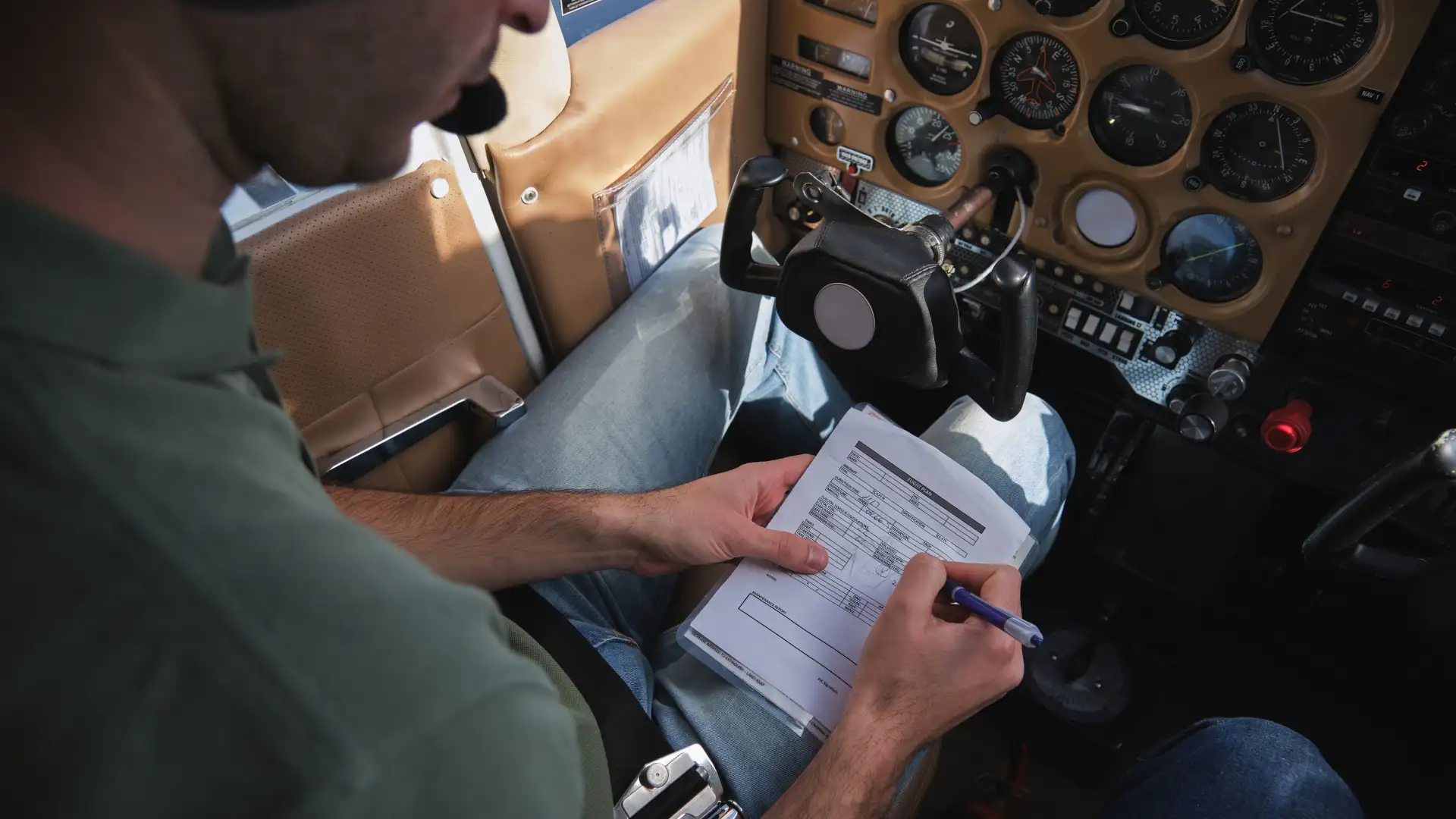
Being audit-ready for rotable parts means one thing: you can produce a complete component history, status trail, and linked trace documents for any serial number within minutes, not hours.
When an auditor or inspector asks about a specific component, your system or process should generate these outputs quickly:
With airlines now carrying $1.4 billion in extra spares inventory to buffer supply-chain unpredictability, according to IATA, accurate status and valuation records are as much a financial control issue as a compliance one.
If every item on that list is checked, your rotable control process is solid. Any box you can't check is where your next AOG event or audit finding is most likely to start.
A successful rotable program doesn’t happen by accident. It’s built on clear processes, a well-trained team, and the right tools. When these pieces work together, you minimize AOG risk, stay compliant, and control the high costs associated with these critical assets. Implementing a few core best practices can transform your rotable management from a reactive scramble into a predictable, controlled operation. It all starts with defining your workflow and ensuring everyone involved knows their role in protecting the integrity of the part and its data.
Your rotable program needs a playbook that everyone can follow. This plan should define exactly what data to capture at every single handoff. When a part is received, installed, removed, or returned from the shop, your team must have a standard procedure for recording serial numbers, condition, time, and release certificates. This isn't just about paperwork; it's about building a reliable data trail that protects your operation. A clear, documented plan eliminates guesswork and prevents the small data gaps that can grow into major audit findings or traceability breaks down the line, ensuring every component's history is complete and accurate.
A plan is only effective if your team understands and follows it. Training should go beyond just showing technicians which boxes to check on a form. It needs to connect their actions to the bigger picture of operational safety and efficiency. Explain how consistent data capture for status control directly prevents AOG events and ensures the fleet remains airworthy, which is a core goal of any maintenance program. When your maintenance teams, store clerks, and planners all understand that they are the guardians of component integrity, they become more invested in the process. This shared understanding is crucial for maintaining strong controls across every shift and every handoff.
Spreadsheets and manual logs simply can’t keep up with the complexity of a modern rotable program. Specialized aviation maintenance software provides a central source of truth, eliminating the risk of conflicting information and siloed data. A system-based approach allows you to group rotables logically, which is far more effective than trying to manage everything in a flat spreadsheet. This makes it easier for your teams to manage inventory levels, schedule shop visits with more accuracy, and get a clear view of your pooling coverage. It replaces tedious manual reconciliation with a streamlined workflow, giving your team more time to focus on proactive maintenance instead of chasing data.
One of the most powerful features of specialized software is automated part-life tracking. The system automatically calculates time, cycles, and next-due dates based on flight logs and maintenance activities, which removes the potential for human error in these critical calculations. This means being audit-ready becomes your default state. Instead of spending hours or even days piecing together records for an inspector, you can produce a complete component history, status trail, and all linked trace documents from your aircraft records management software in minutes. This capability not only satisfies auditors but also gives planners and engineers the immediate, reliable insights they need to make critical decisions about fleet health.
SOMA connects work orders, component histories, and inventory status, so every rotable handoff automatically updates your single source of truth. No duplicate entry, and no reconciliation between disconnected spreadsheets or tools.
Your team pulls complete serial number histories in minutes instead of hours. AOG exposure drops because you always know what's serviceable, where it sits, and when the next threshold comes due.
See how SOMA makes component lifecycle tracking and inventory control comprehensive enough to keep your rotable records audit-ready at every stage. Get a quote today.
That part will appear available for installation when it isn't legally airworthy. A scheduled maintenance event can turn into an AOG, or an audit finding can result.
"Serviceable" means current documentation (valid 8130-3 or Form 1), all life limits met, and no open discrepancies. Missing any of those means the status must stay "unserviceable."
Every status change should link to a receiving transaction or work order so the audit trail stays unbroken.
Pooling works best for ongoing coverage across a fleet. Exchange suits one-time or recurring needs where you swap your core. Leasing bridges temporary gaps while your unit is in the shop.
Evaluate AOG response speed. Pooling and exchange are typically faster. All three models require the same serial, status, time/cycles, and documentation tracking.
Yes, if the system links work orders, component histories, and inventory status in one place. Look for a platform like SOMA that automatically updates the component record, aircraft status, and inventory position when a removal or shop return is logged.
The practical benefit is producing the five audit-ready outputs—component history, status trail, shop visit history, time and cycle status, and trace document linkage—on demand.